A game room for adults can be an arcade corner with a single cabinet, a garage conversion with neon lighting, or a full basement setup with a wet bar and pool table.
The choice comes down to how much floor space you have to work with and whether you need the room to serve more than one purpose.
A pool table lounge needs room on all sides for cue strokes, while a dual display setup fits in a corner of a bedroom or along one wall.
1. Arcade Corner
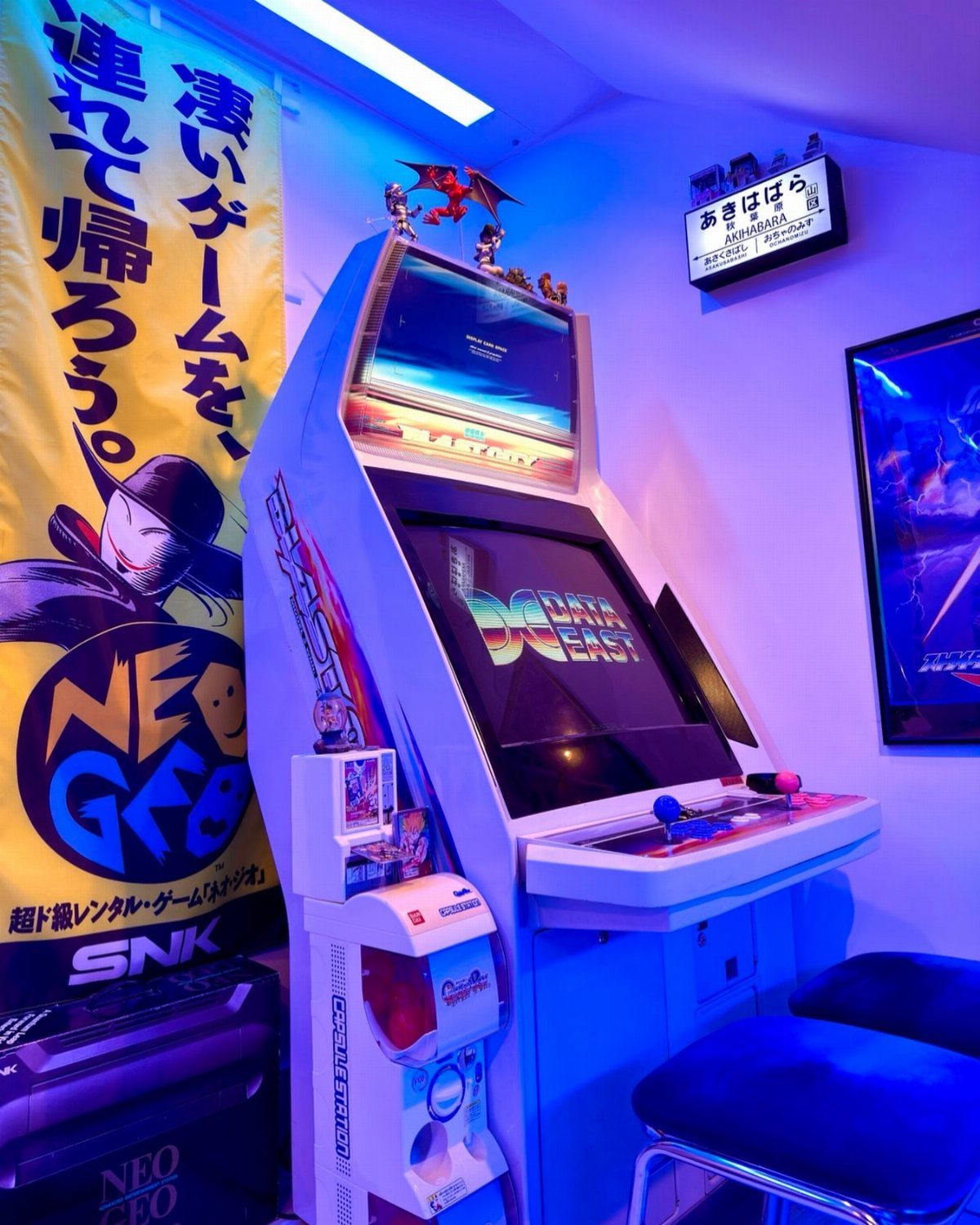
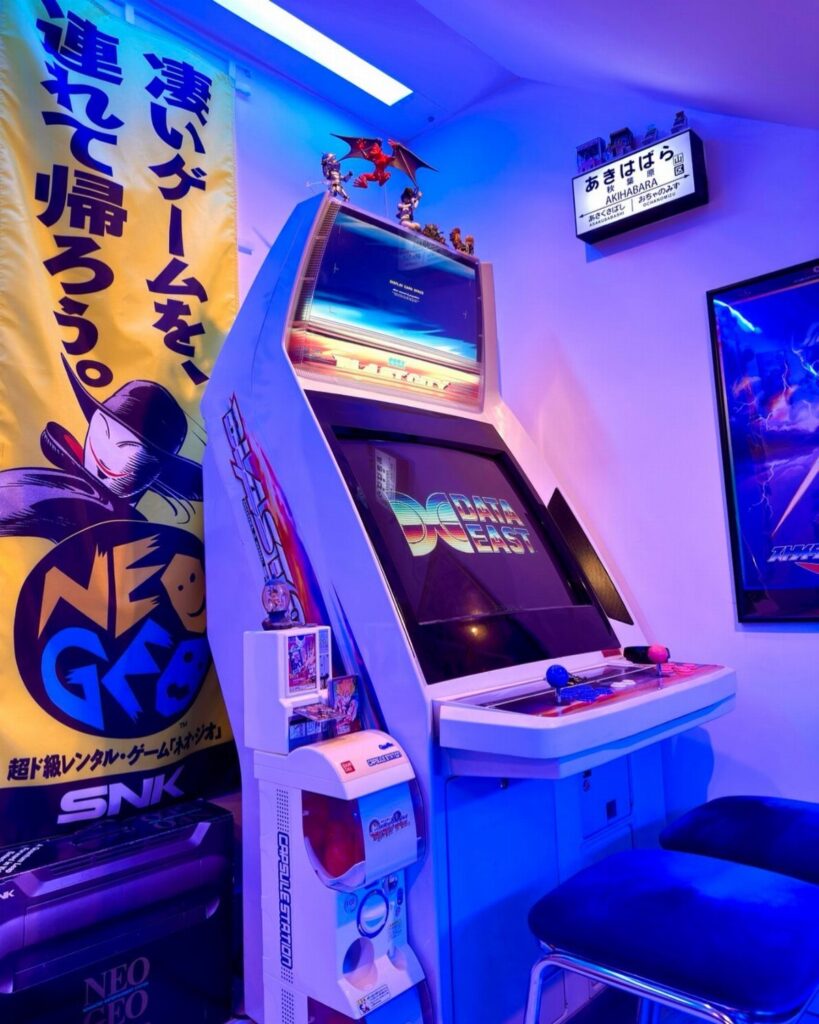
A single arcade cabinet turns a corner into a destination. The glow from the screen and a few LED strips along the baseboard set the mood without filling the room with gear.
If you are working with less, a countercade version sits on a table and plays the same way. Look for a machine with a game you will actually come back to, not just the one that looks best in photos.
2. Theme-Based Game Room Decor
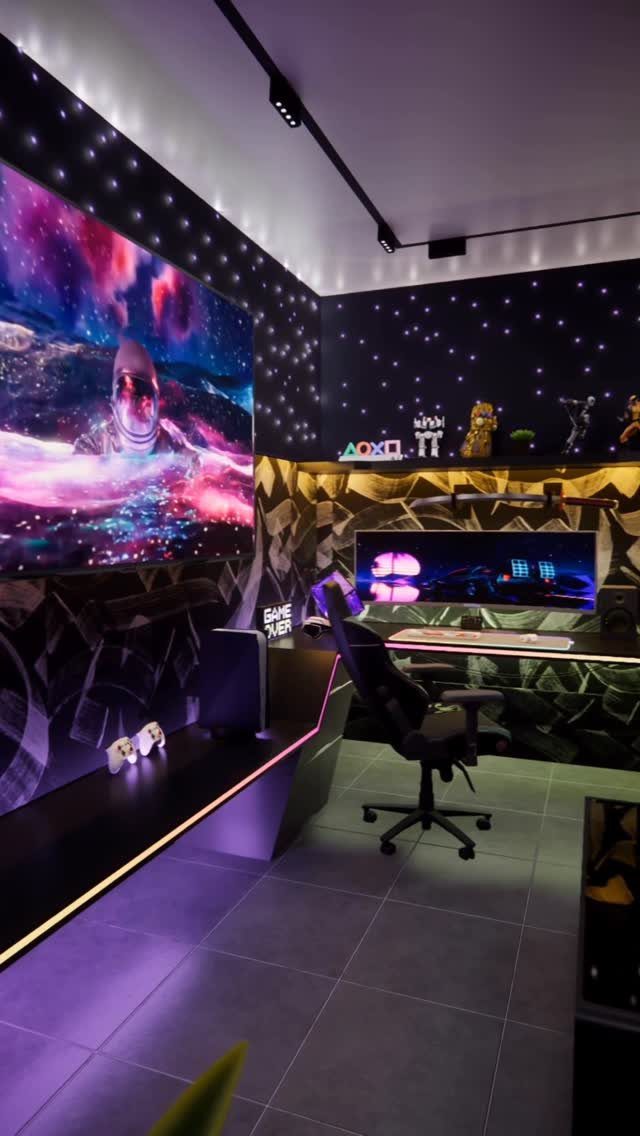
Picking one theme and running it through the whole room gives it a sense of direction.
Wallpaper that matches the theme, accent lighting in a single color, and a few props or posters keep it from looking like a default setup.
The space-themed room visible here uses a starry ceiling wrap, purple LEDs, and a large-format screen to sell the idea.
You could do the same with a retro arcade theme using neon reds and blues, or a forest cabin look with warm wood tones and Edison bulbs.
Start with the wall treatment, then add lighting that supports it. The furniture can stay neutral.
3. Cozy Plush Seating
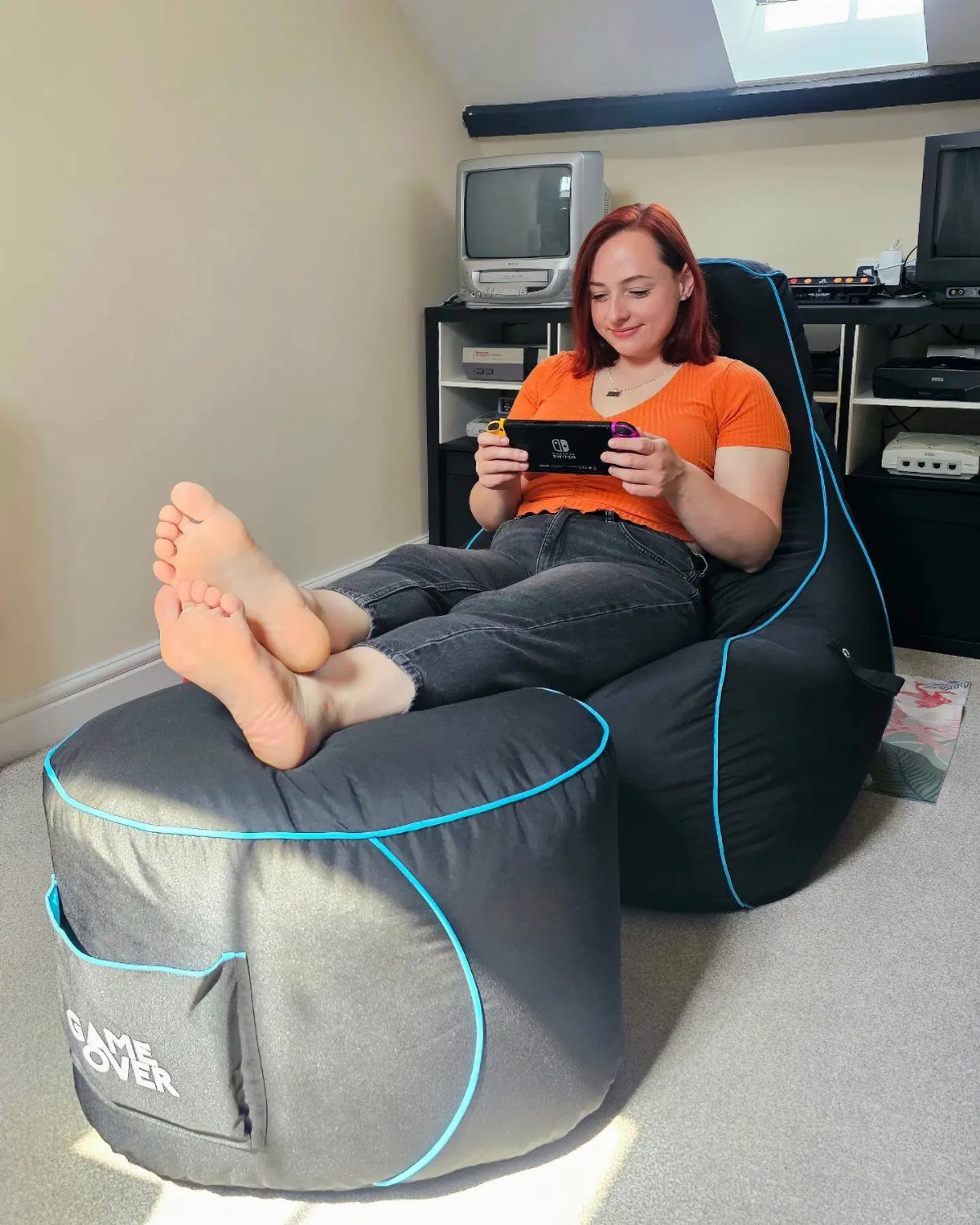
Bean bag chairs drop your seating lower and take the formality down with it. They mold to how you sit, which matters when a session runs past an hour.
Look for bags filled with shredded foam instead of pellets for better shape retention.
4. Gaming Setup
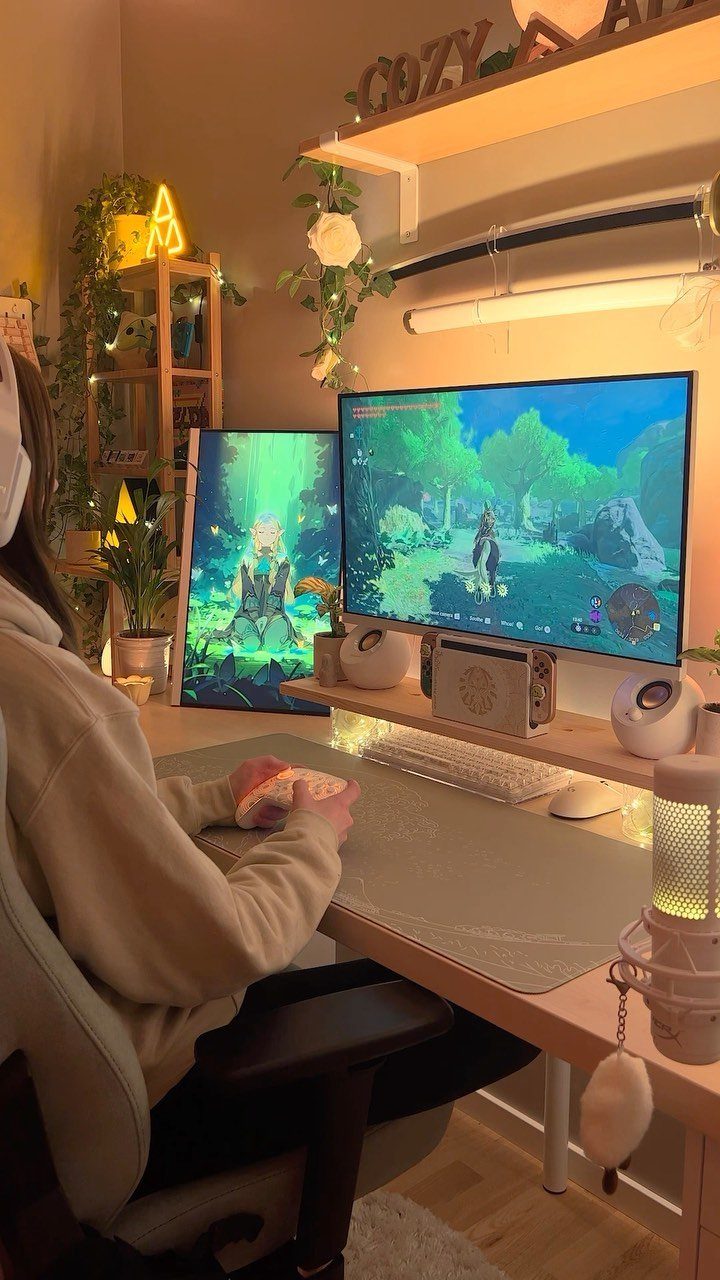
2 monitors side by side give you room to keep a guide, a stream, or a second game open without tabbing out.
Mount the monitors on a dual arm so you can tilt and rotate them without moving the bases.
A mechanical keyboard and a wired mouse with a high polling rate make inputs feel more responsive. Cable raceways along the back edge of the desk hide the cords and let you plug things in without crawling under.
5. Compact Game Room Space-Saving Furniture
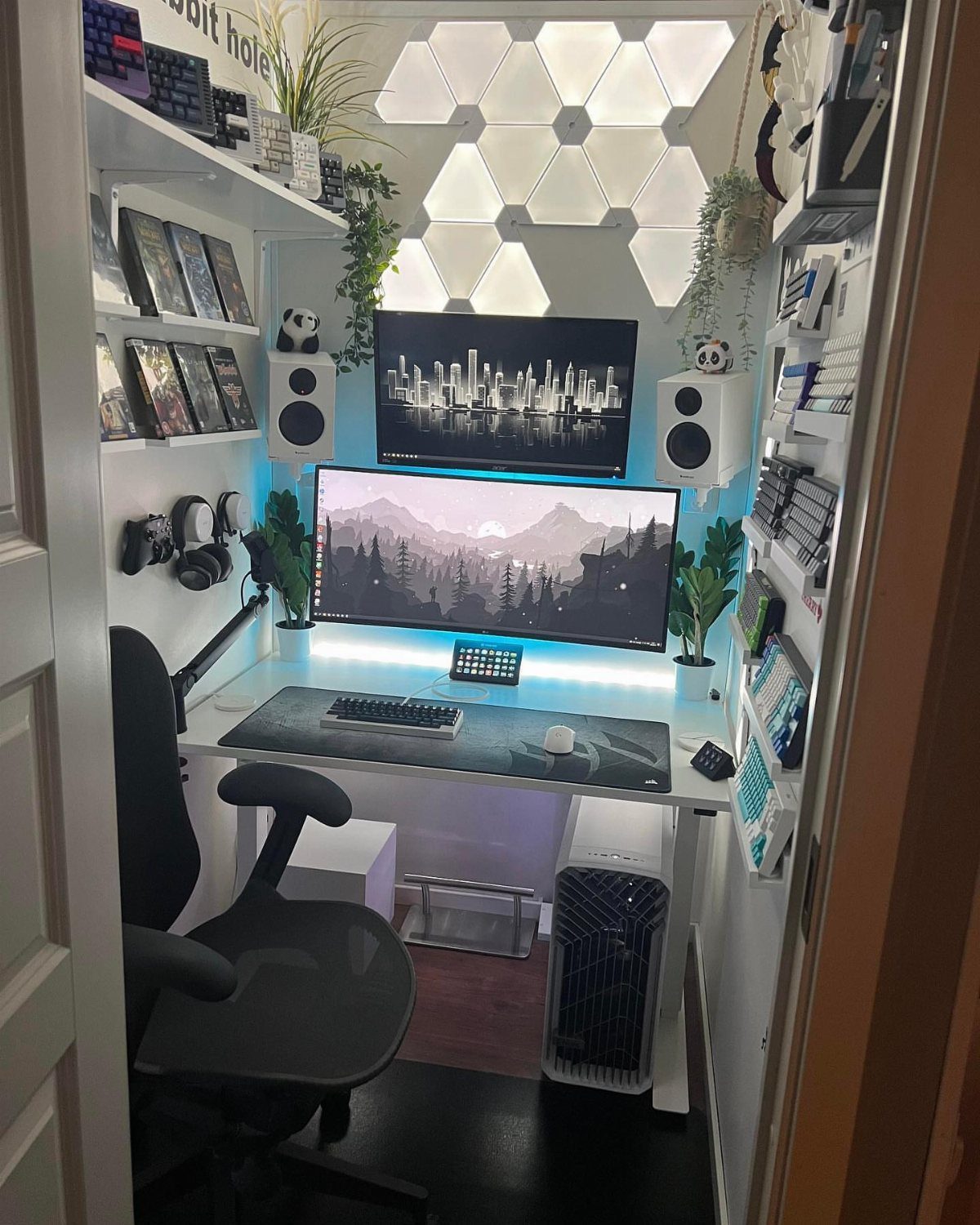
When the room is tight, wall-mounted shelves and a corner desk give you floor space a full entertainment center would eat. The hexagonal LED panels visible here add visual interest and leave your surfaces free.
A floating desk anchored to studs holds the monitors, keyboard, and mouse without legs in the way.
Stackable storage cubes or narrow shelving above the desk keep games and controllers in reach. Keep the color palette to two or three tones so the small space does not feel busy.
6. Garage Transformation
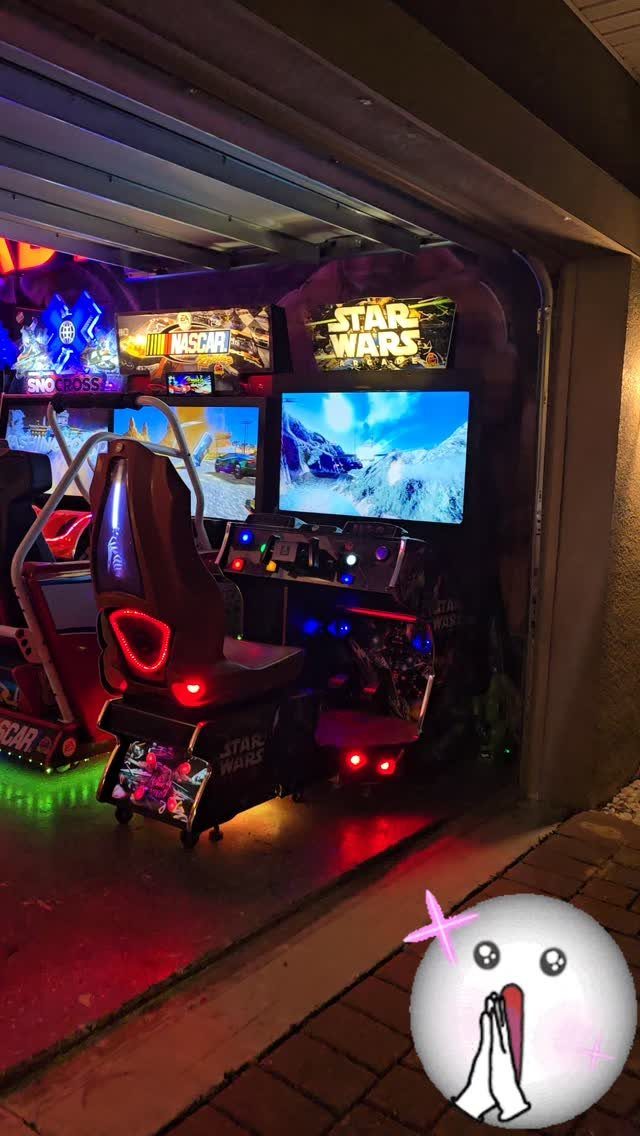
A garage with climate control becomes a game room without the drywall and paint a basement conversion needs.
Insulate the garage door and add a mini-split if summers or winters are extreme in your area.
Epoxy floor coating resists rolling chairs and spilled drinks better than bare concrete. Run a dedicated 20-amp circuit if you are adding more than two machines, and keep the breaker panel accessible.
7. Minimalistic Game Room
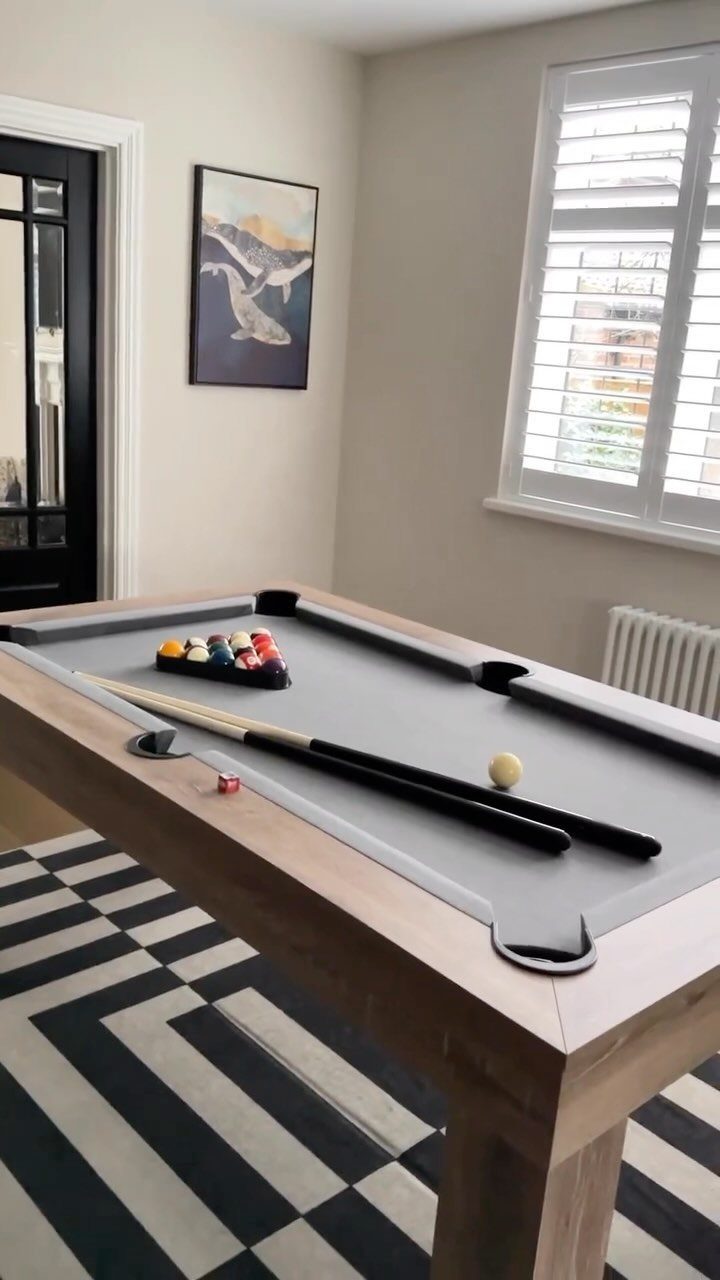
A pool table with clean lines and a neutral rug keeps the focus on the game instead of on the decor.
The wood frame and simple geometry work in a room that already has natural light and a few pieces on the walls.
Skip busy patterns and bright accent colors. A single piece of art and shutters or shades that control glare during the day are enough.
8. Neon-Lit Area
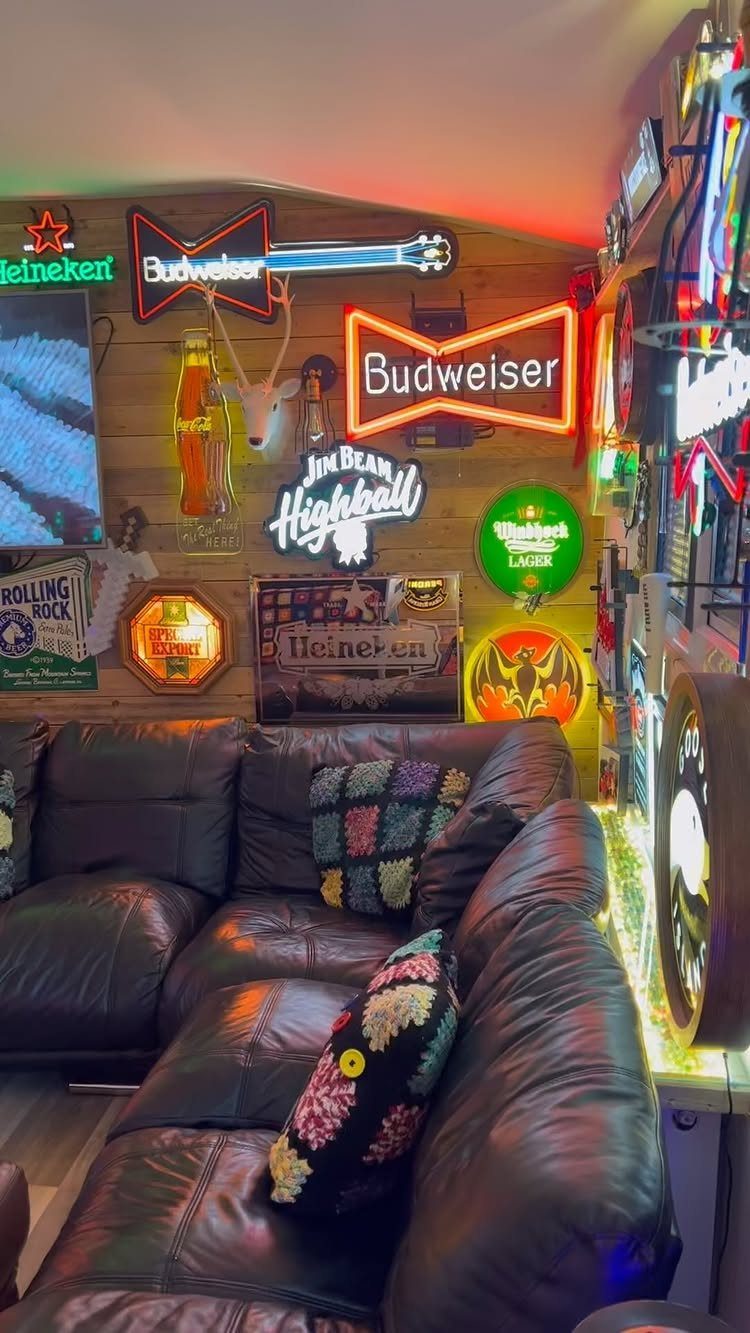
Neon beer signs mounted above a sectional give the room a bar feel without the full buildout. The warm glow from vintage-style neon tubes softens dark paneling and makes the seating area the spot people gravitate toward.
Mount signs to studs with the transformer hidden behind or above the frame.
Space them so the light overlaps slightly instead of leaving dark gaps between. A dimmer on the room’s overhead fixture lets the neon do the work after dark.
9. Anime-Themed Game Room
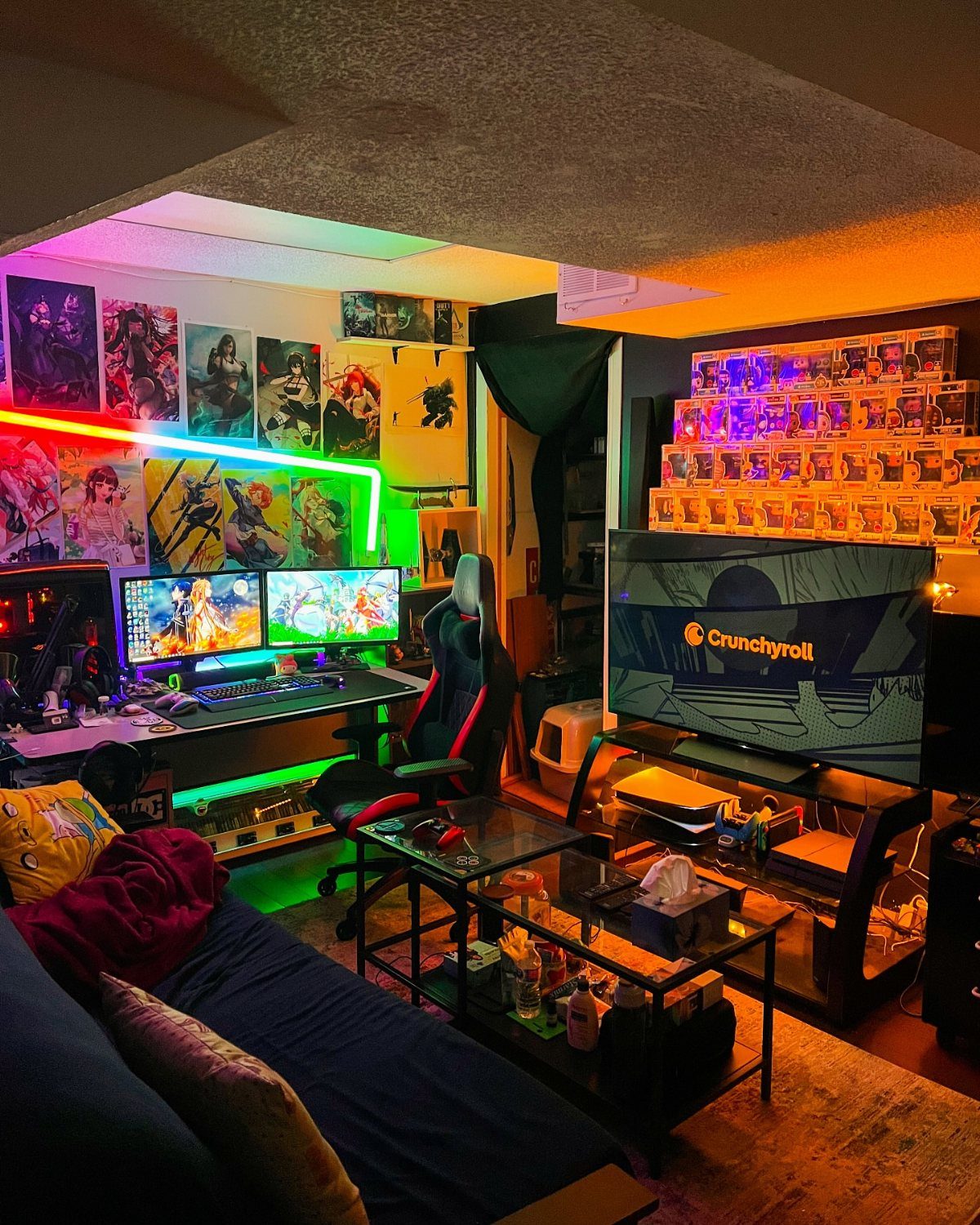
Character posters and a shelf of figures turn the room into a display case for the shows you follow.
The dual-monitor setup visible here leaves space for a stream or a second screen, and the LED strips behind the desk shift colors to match the mood.
Frame the posters in matching frames or use poster hangers for a cleaner look.
Group figures by series or color on floating shelves. Keep the lighting adjustable so it does not wash out the monitors.
10. Cyberpunk Room
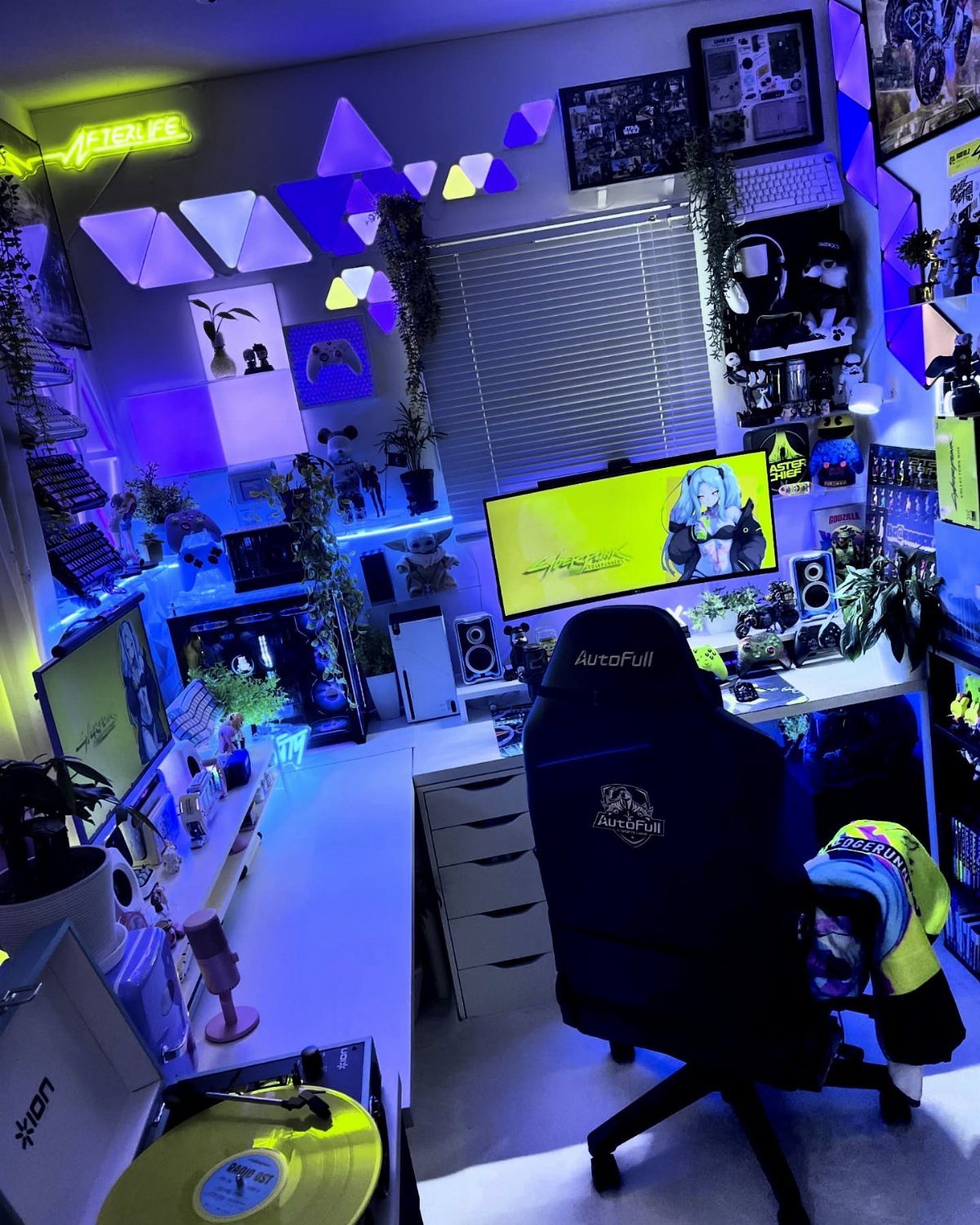
Triangle LED panels mounted in a geometric pattern give the walls a futuristic edge. The purple and blue tones visible here match the neon aesthetic, and the dark walls make the lights stand out.
Install the panels in a pattern that balances the room instead of clustering them in one spot.
A black or charcoal wall color absorbs light better than grey. Add a strip behind the desk to extend the glow without adding more fixtures.
11. Multi-Use Game Table
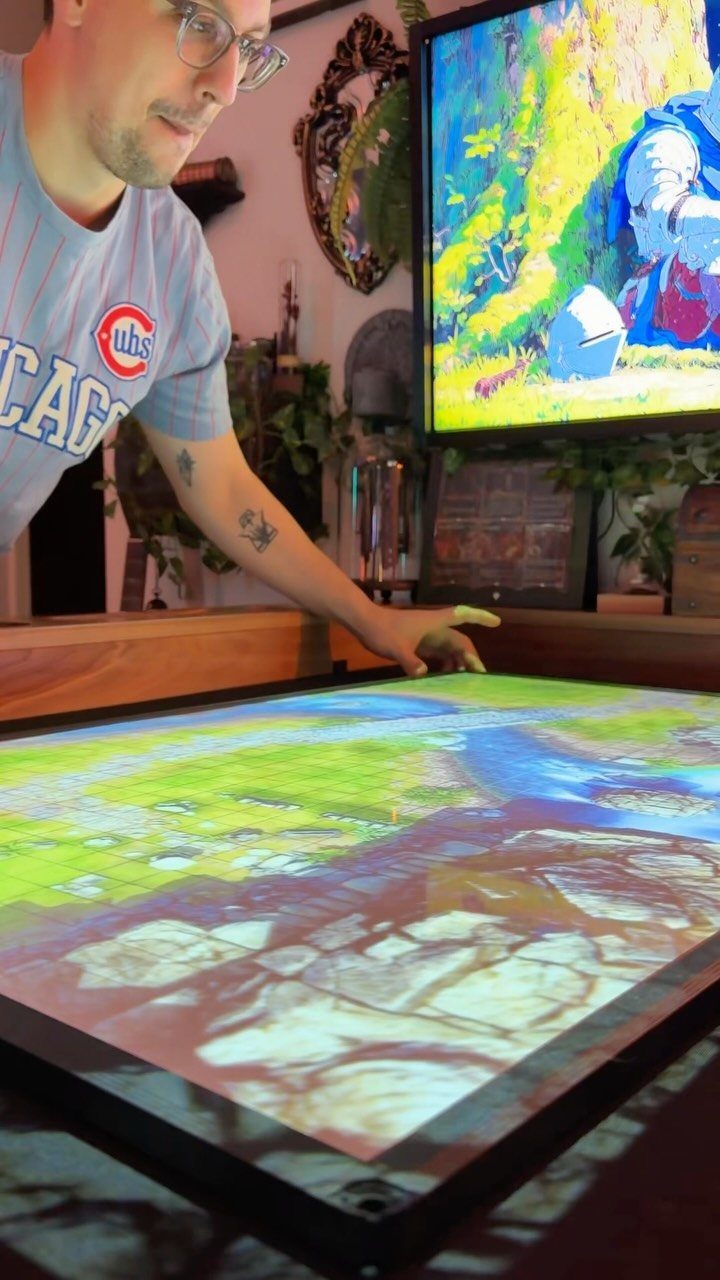
A digital tabletop screen runs board games, RPG maps, and strategy games on one surface. Touch controls replace dice and cards, and the screen adjusts for the number of players.
Tables like this sit at dining height and work for meals when the game is off.
Look for one with a matte finish to cut glare from overhead lights. Battery backup protects a game in progress if power flickers.
12. Relaxing Game Room Oasis
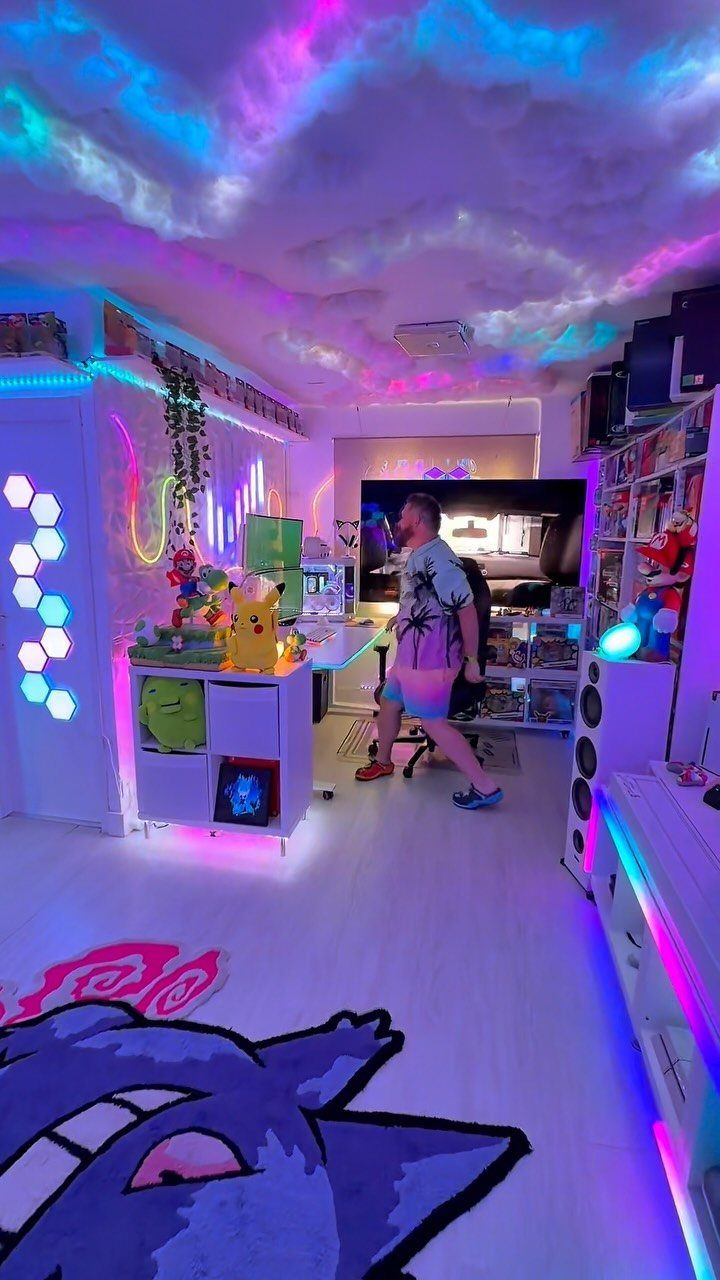
Cloud ceiling panels and soft LED lighting bring the room down to a calmer level.
Acoustic foam clouds absorb sound and diffuse light at the same time.
Install them with adhesive strips rated for ceiling use. Purple or pink LEDs behind the clouds create the glow without harsh edges.
13. Dual Display Setup
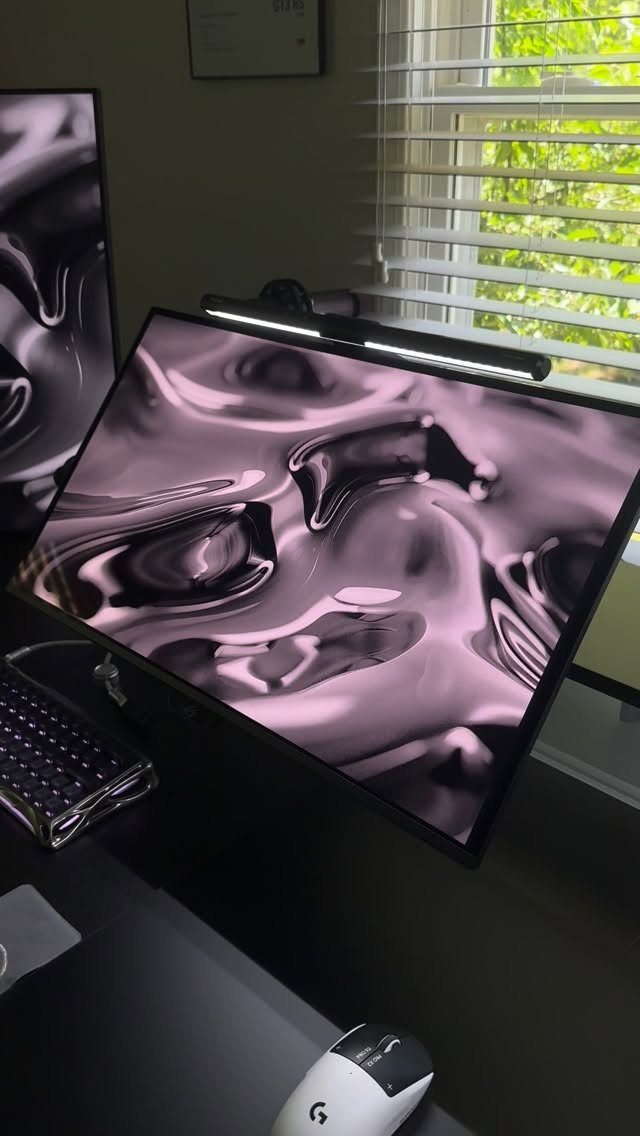
2 monitors at the same height let you keep a walkthrough, Discord, or music controls visible without minimizing your game.
An adjustable dual monitor arm clamps to the desk edge and lets you angle both screens toward your chair.
Match the resolution and refresh rate on both panels so a window dragged between them does not stutter or resize. A screen bar light mounted on top eliminates glare and keeps the beam off your eyes.
14. Gaming Projector
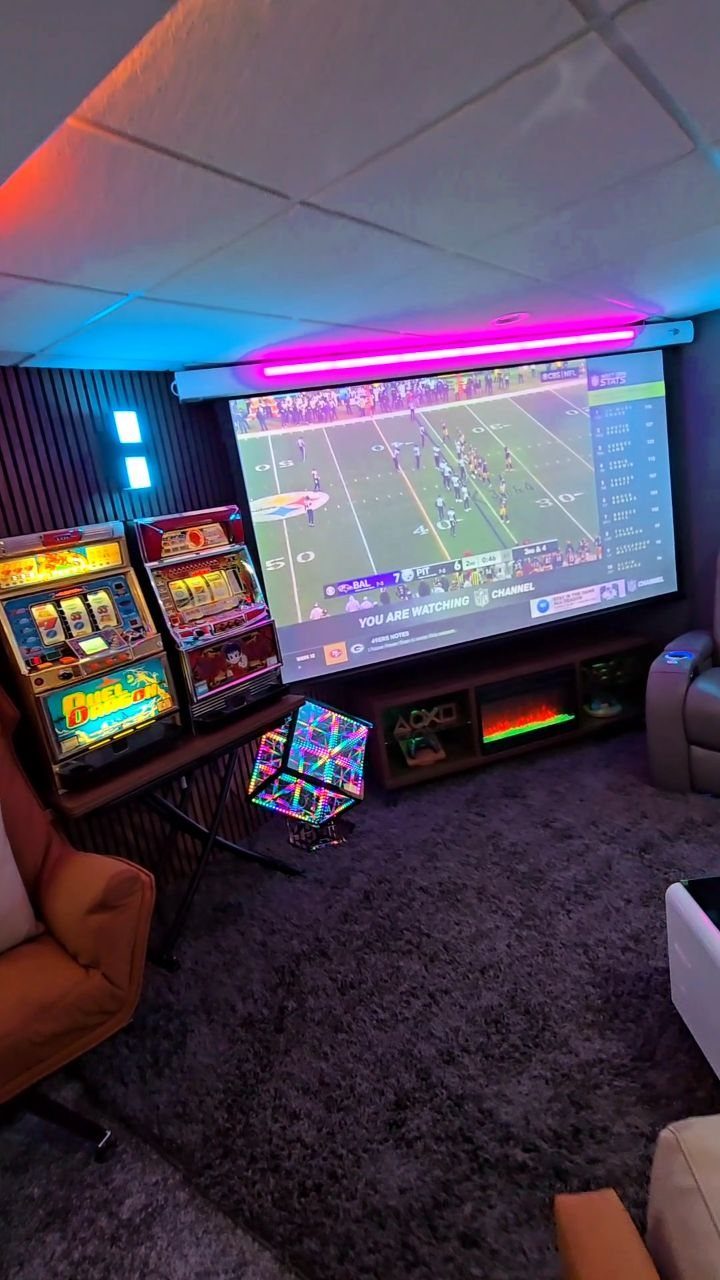
A projector fills the wall with the game and puts everyone in the same sightline. The screen size visible here turns a football game or a multiplayer session into a room-wide event.
Mount the projector to the ceiling so it clears heads and furniture. A short-throw model cuts the distance you need and reduces shadows when someone stands.
Look for at least 3000 lumens if the room has windows. Pair it with a pull-down screen or paint a section of wall with projector screen paint for a permanent setup.
15. Game Room with Wet Bar
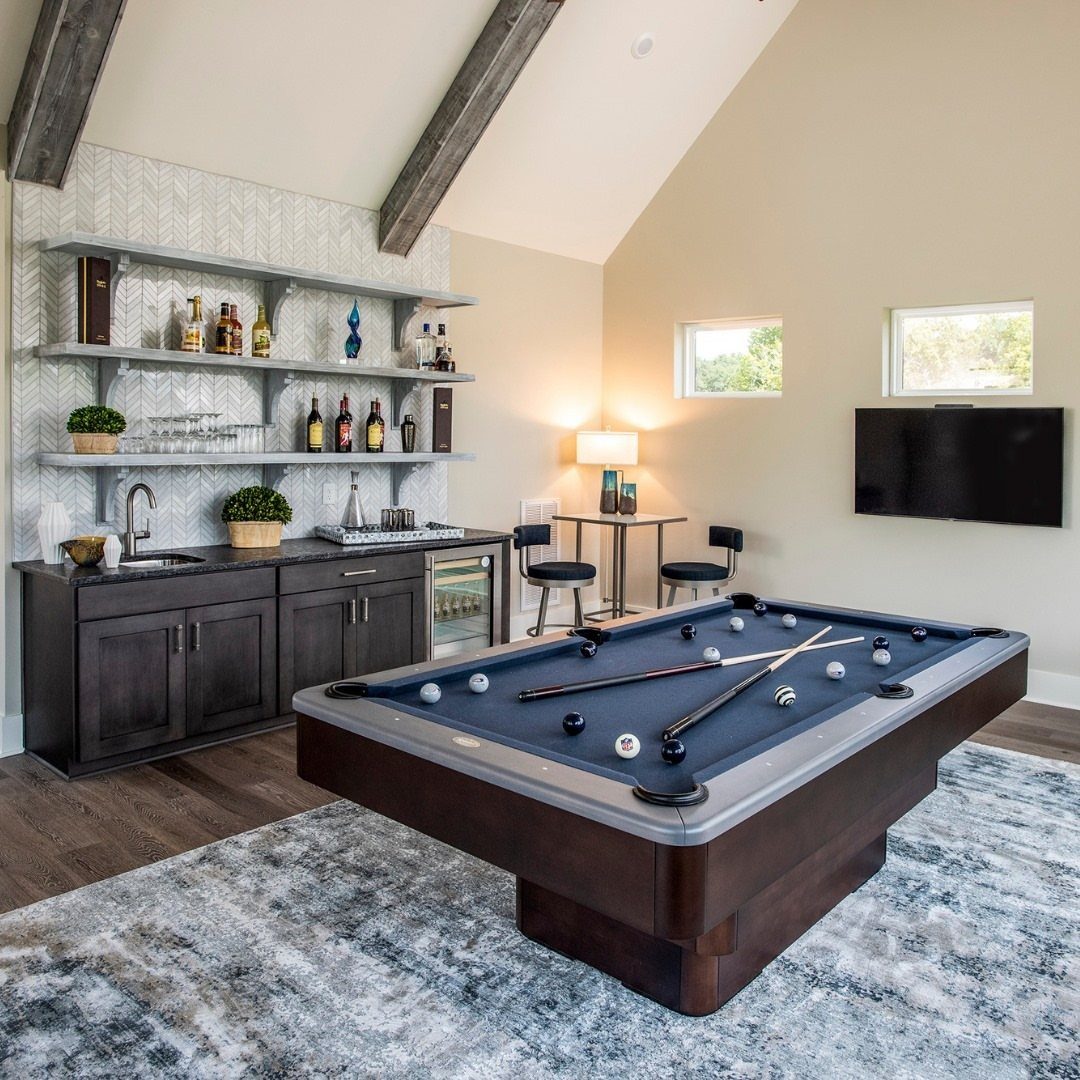
A wet bar with a wine fridge and bottle shelving brings the bar feel into the game room without leaving to refill.
The dark wood visible here keeps the look grounded, and the open shelves let you display bottles like decor.
Install a small sink if plumbing is accessible, or skip it and use an ice bin.
A wine fridge fits under the counter and keeps beer cold at the same time. Floating shelves above the bar hold glassware and bottles you want in reach.
16. LED Cloud Ceiling
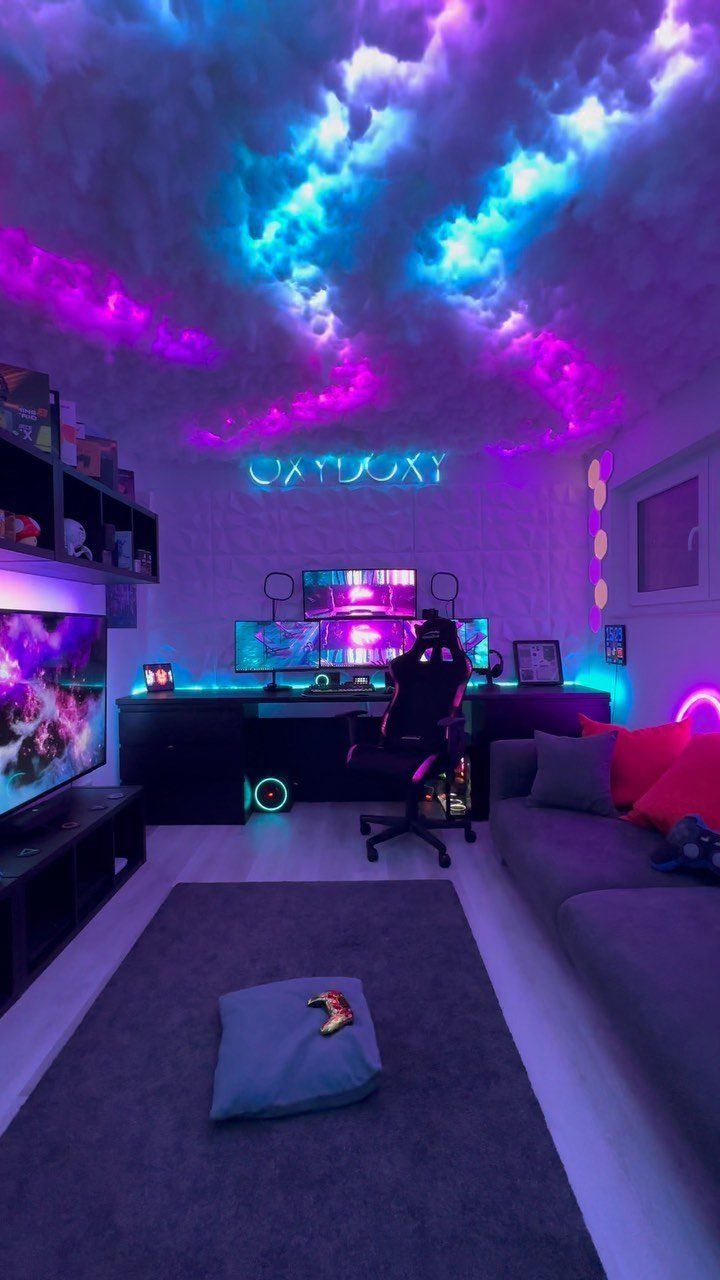
Textured clouds with LED strips tucked inside diffuse colored light across the ceiling and drop the room into a softer glow. The soft glow follows the purple and blue palette already running through the room.
Build the clouds from polyester fill batting stretched over a wire frame, then tuck RGB LED strips inside before mounting them to the ceiling with adhesive hooks.
Space the clouds so light spreads evenly instead of pooling in one spot. A smart controller lets you shift colors without climbing up.
17. Console Display Shelving
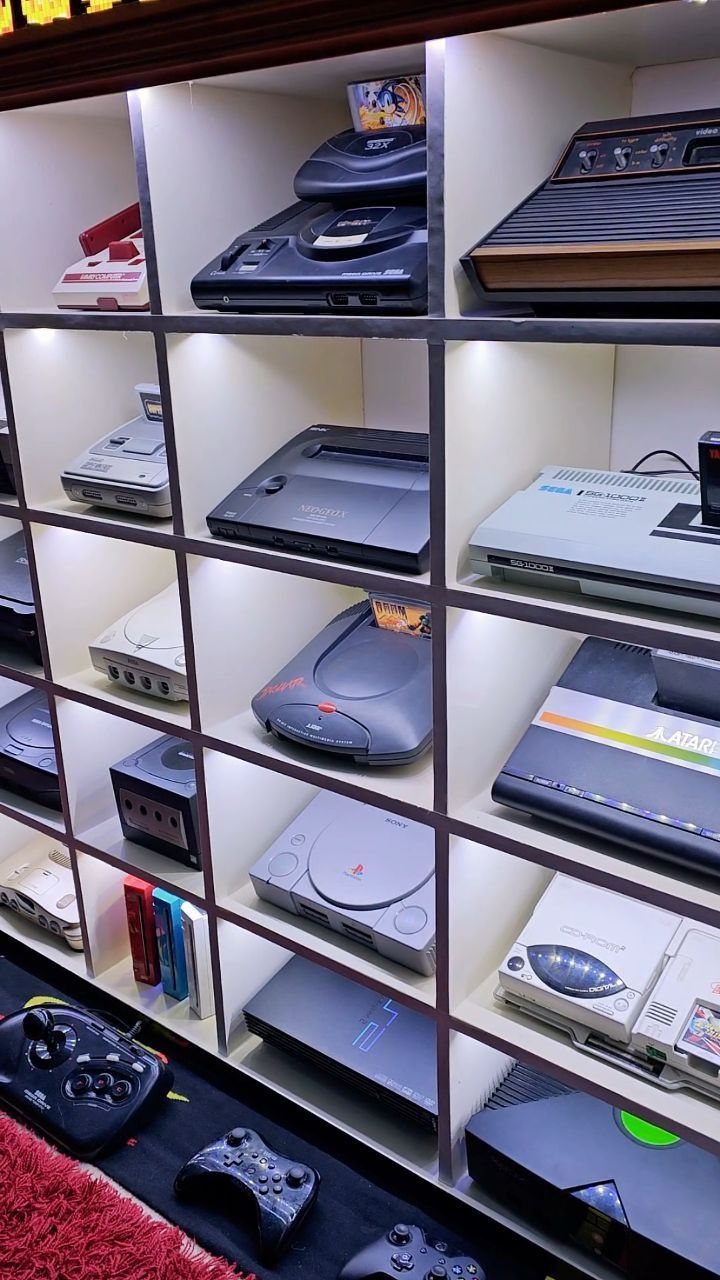
A backlit shelving unit turns a console collection into a display instead of a stack. The white finish visible here keeps the focus on the hardware, and the integrated lighting highlights each system without adding separate strips.
Mount LED tape along the back edge of each shelf before you load the consoles.
Adjustable shelves let you fit different console heights. Keep the most-used systems at waist level and the vintage ones higher where they stay visible but out of the way.
18. Bedroom Gaming Integration
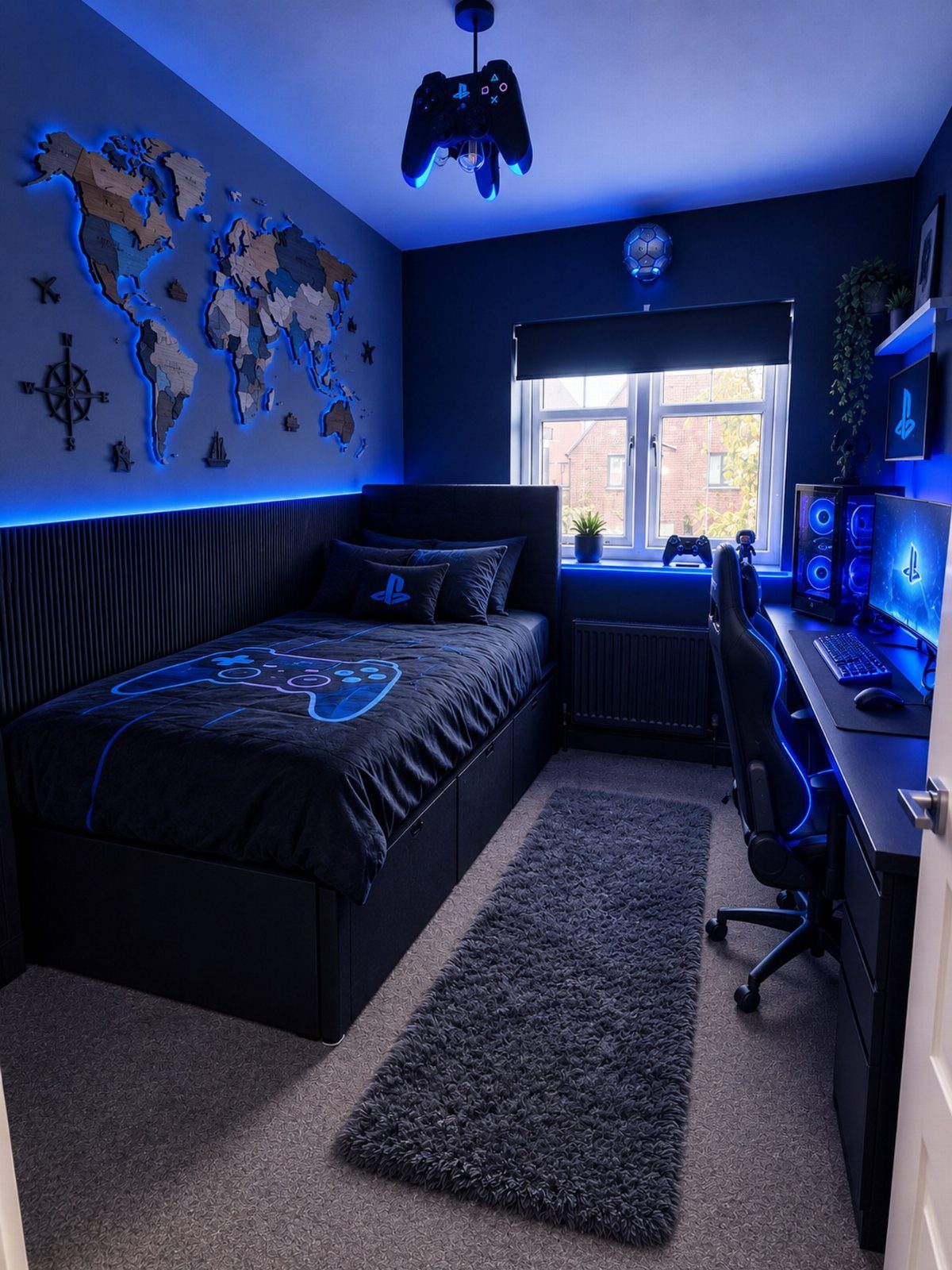
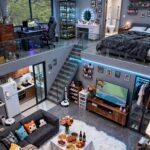
Combining the bed and the gaming setup in one room saves space when a dedicated game room is not an option. The blue LEDs and PC station visible here keep the gaming side distinct without clashing with the bed.
Mount LED strips behind the desk and along the ceiling to separate the gaming zone from the sleeping side.
A comfortable chair matters more here since the desk doubles as work and play space. Keep cables routed along the wall so they do not cross the walking path to the bed.
19. Pool Table Lounge Area
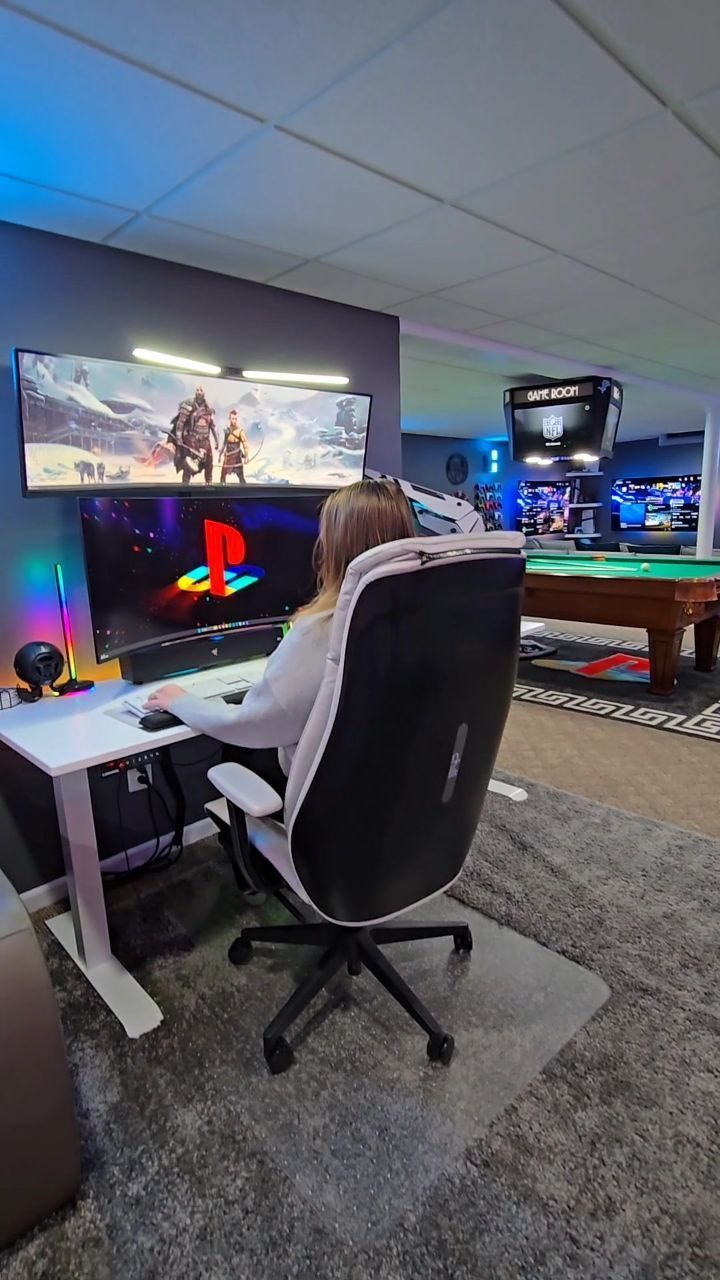
Placing a pool table behind your gaming desk fills out a basement or bonus room when you have space for both.
The setup visible here keeps the gaming station distinct from the pool area, so each activity has its own zone.
Leave enough clearance on all sides of the pool table for full cue strokes.
A 7-foot table fits most basements and still leaves room to walk around it. Overhead lighting centered above the table prevents shadows on the felt during play.
20. Attic Game Room Conversion
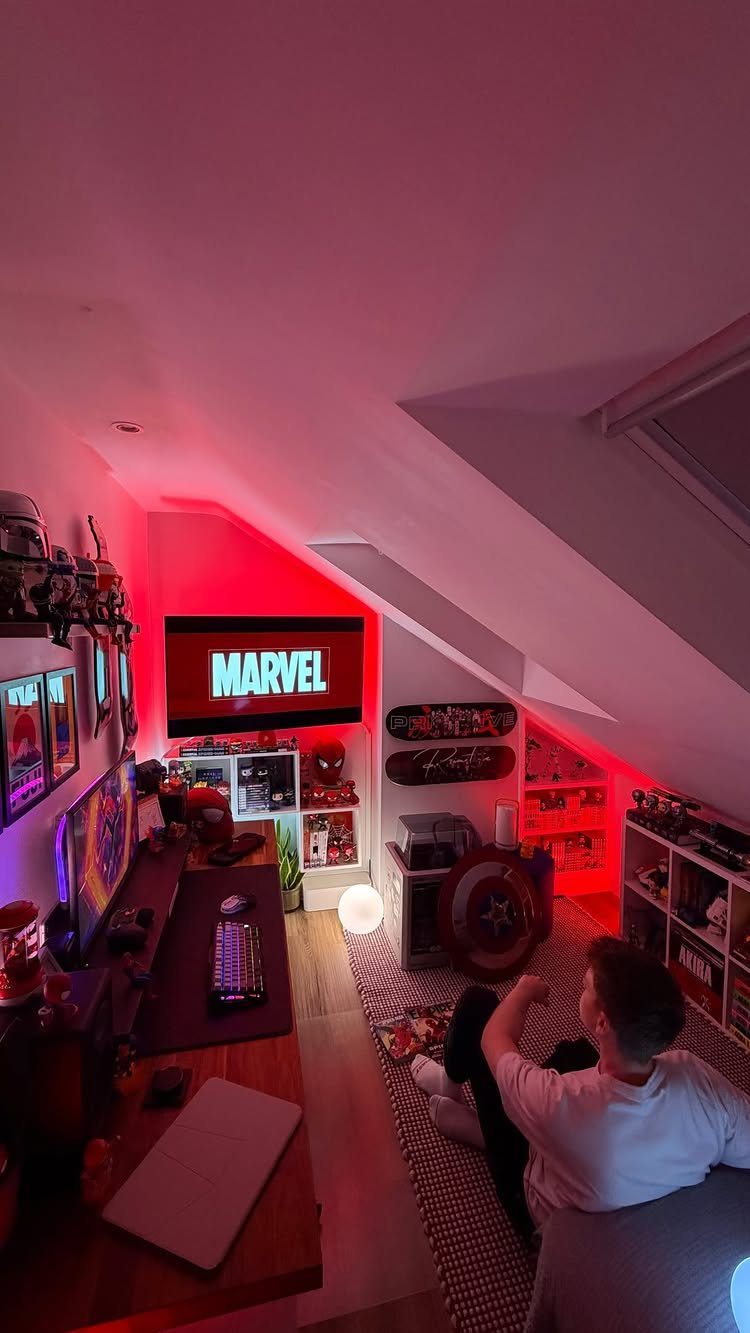
An attic with enough headroom becomes usable space once you add insulation and a mini-split. The sloped ceiling visible here gives the room character, and the red LED strips set a different tone from the rest of the house.
Check the ceiling height at the center before you commit.
Attics need enough clearance in the middle to feel comfortable, or the space reads cramped. Run ethernet up if you are setting up a gaming station, and add a floor rug to cut noise transmission to the rooms below.
21. Wall-Mounted Controller Display Setup
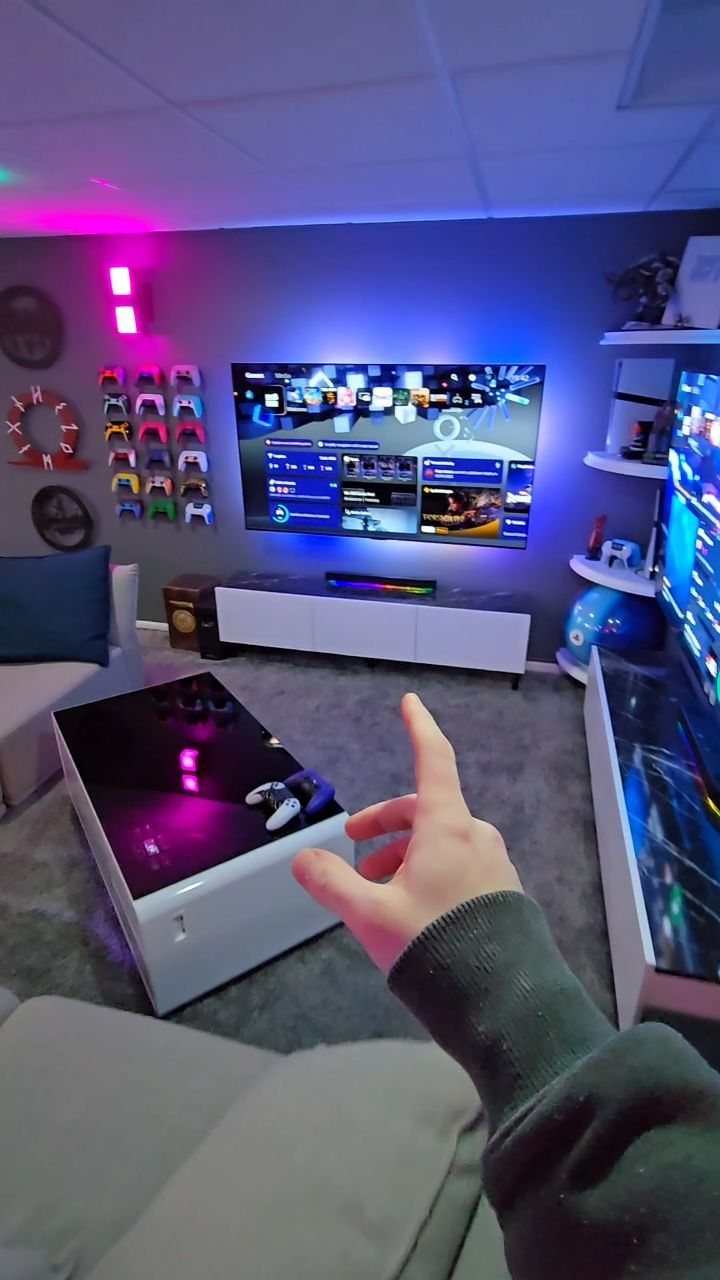
Mounting controllers on the wall in a grid turns them into something to look at between games. The arrangement visible here keeps the controllers organized and frees up drawer space.
Use adhesive wall mounts rated for the weight of each controller.
Space them evenly so the display reads as intentional. Keep the most-used controllers at the ends for easy access, and mount collectible or vintage ones in the center where they stay protected.
22. Sports-Themed Game Lounge
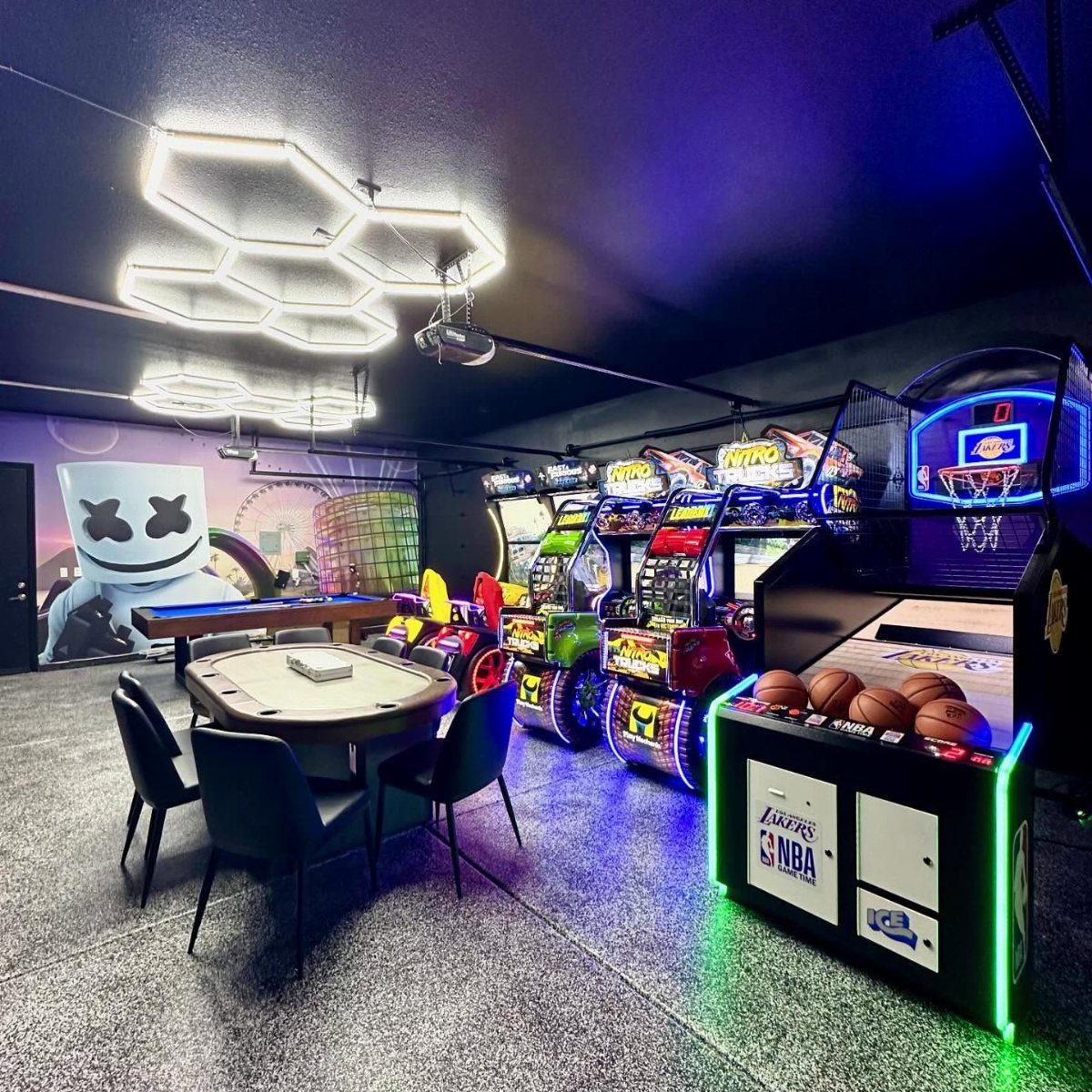
Arcade basketball, racing simulators, and a pool table in one room give you options when different people want different games. The open floor plan visible here keeps each station accessible without feeling cramped.
Plan for enough square footage to fit multiple machines and tables with clear paths between them.
Arcade units draw more power than home consoles, so check that your circuit can handle the load before you plug them all in. Group machines by type so sound from one does not drown out another.
Optimal Lighting for Gaming
A dimmer on the overhead fixture lets you dial the room down when a projector is running or back up when someone needs to see the pool table clearly.
LED strips behind monitors cut eye strain by reducing the contrast between a bright screen and a dark wall. The effect is subtle but makes a difference after the first hour.
If you mount a projector, blackout shades or curtains give you control over daylight.
A projector needs full darkness to show contrast and detail, and ambient light washes the image out. Spotlights on shelving or a console display add visual interest without interfering with screens.
Organizing the Game Room
Start with your largest piece and let it set the layout. A four-monitor setup or an arcade wall becomes the focal point, and seating or smaller tables fill the space moving out from there.
Chairs or a couch off to the side give players a place to wait between turns without crowding the active area. Wall art behind the pool table or above the gaming desk anchors the room and draws the eye.
A dartboard or foosball table fits along a side wall where it stays accessible but does not block the main gaming area. Floor cushions or stackable seating add flexibility when the group size changes.
Movement Space: For retro and party gaming setups, ensure ample room for movement and socializing, aiming for at least 12×12 feet.
Combining Game Room with Other Areas
A corner of the living room holds an arcade cabinet or a foosball table when a separate game room is not an option. The gaming area becomes a feature instead of taking over a full room.
A home office doubles as a game room with a dartboard on one wall or a console station on the desk. A mini putting mat rolls out for use and stores flat when work takes over.
A loft conversion works when headroom is sufficient.
Insulate the space and add climate control if the temperature swings. Storage in a multipurpose room needs to be flexible: open shelves for gear in use, closed cabinets for items that rotate in and out.
Frequently Asked Questions
What goes into a game room?
Start by choosing the games you want, then plan seating, lighting, and layout around them.
A game room works best when you pick a direction early: arcade machines, a pool table, video game setups, or a mix of smaller games like darts and foosball.
Add comfortable seating off to the side, adjustable lighting that supports screens and tables, and a theme or color scheme that ties the room together.
What are some fun games I can play in a room?
Pool, darts, foosball, and arcade cabinets give you physical games that fill the space and work for groups.
Consoles and gaming PCs cover competitive multiplayer, while a digital tabletop screen runs D&D campaigns and strategy games with no box storage. Pick games that match how you actually use the room, not just what looks good in photos.
What are some creative design ideas for an entertainment room?
A theme that runs through the walls, lighting, and furniture gives the room direction. Color comes from LED strips tucked behind monitors and desks, or from neon signs and geometric panels that double as wall art.
Wall-mounted shelves and floating desks save floor space, and acoustic clouds or textured ceiling treatments change how the room feels.